
When businesses decide to digitise years of paperwork, the volume can be far bigger than expected. Old contracts, invoices, employee records, financial files, receipts, and archived documents often sit across cabinets, storage rooms, and boxes for years before someone finally has to organise them.
The challenge is not just getting those papers scanned. It is making sure the process is fast, structured, and useful in the long run.
Start by Sorting Documents Before Scanning
One of the most common mistakes in large digitisation projects is scanning everything without a structure. Before starting, documents should be grouped by category, date, department, or client.
This makes archiving easier later because files are already organised before they enter the digital system. It also reduces the chances of duplicate records, missing pages, or documents ending up in the wrong folders.
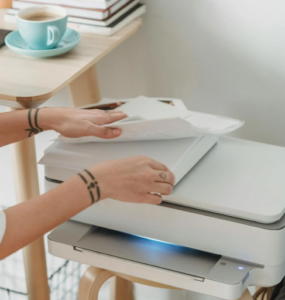
Choose Equipment That Can Handle Different Media Types
Large document projects rarely involve standard paper alone. Businesses often need to scan receipts, ID cards, business cards, large-format pages, and older documents that may be thicker or more delicate.
That is why Canon high-speed scanners are useful for large-scale projects. They are designed to handle mixed batches without requiring constant adjustments between different document types.
The imageFORMULA DR-M1060II, for example, can scan A3 documents as well as smaller items like IDs and receipts. Its ability to handle different paper textures and thicknesses makes the process much smoother when scanning large volumes of varied material.
Prioritise Speed Without Losing Quality
When thousands of documents need to be digitised, speed becomes essential. But fast scanning is only useful if the quality is good enough for future use.
Blurry text, incomplete scans, or poor image quality can create bigger problems later, especially when documents need to be reviewed or shared. The DR-M1060II is built for both speed and accuracy, with scan speeds of up to 60 pages per minute and 120 images per minute in duplex mode.
That balance is important because it allows teams to move through large volumes of files without compromising readability.
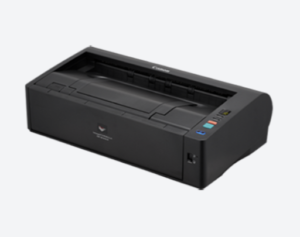
Make the Most of Available Workspace
Digitisation projects often happen in offices where space is already limited. Large equipment can make the process harder by taking up desks, counters, or storage areas.
The DR-M1060II uses a compact desktop design with a U-turn paper path, which allows full-front operation. This means teams can place it in tighter spaces without sacrificing ease of use.
Build an Archiving System That Works Long-Term
Scanning is only the first step. Once files are digitised, they need to be stored in a way that makes sense. Naming conventions, folder structures, and searchable tags all play a big role in making documents easy to find later.
Using Canon high-speed scanners can help simplify the scanning side of the process, but businesses still need a consistent archiving system to get the full value from digitisation.
The real success of a digitisation project is not how quickly the boxes disappear from storage. It is how easily the information inside them can be accessed whenever the business needs it.

